
Understand camera distance and Wi-Fi throughput
Use the planning illustration to understand the camera link, then test the actual field.
General guidance · Check the controls available in your installed app.
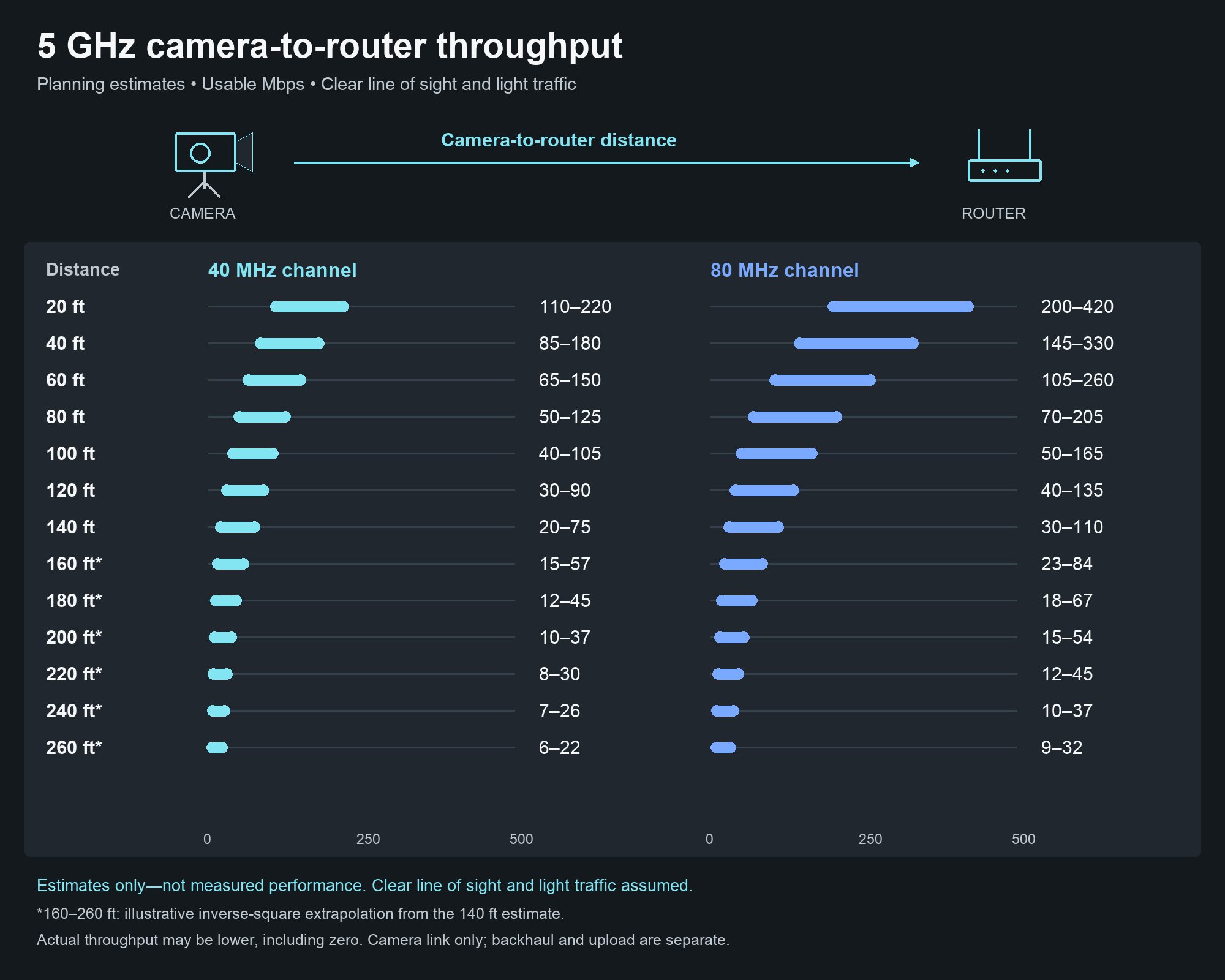
Camera-to-router planning example
The illustration retains the numerical ranges from our earlier VM33 example, with generic camera/router graphics and Inning Pilot styling. These are illustrative estimates, not measurements of a generic camera, not certified VM33 performance and not predictions for every field. The diagram uses 20-foot intervals from 20 through 260 feet. All values are estimates. Ranges through 140 feet retain the earlier planning estimates. For 160–260 feet, each end of the 140-foot range is multiplied by (140 ÷ distance in feet) squared and rounded to the nearest Mbps. This is an illustrative extrapolation, not a validated Wi-Fi throughput model; actual throughput may be lower, including zero. Read them as planning context, then measure the actual setup.
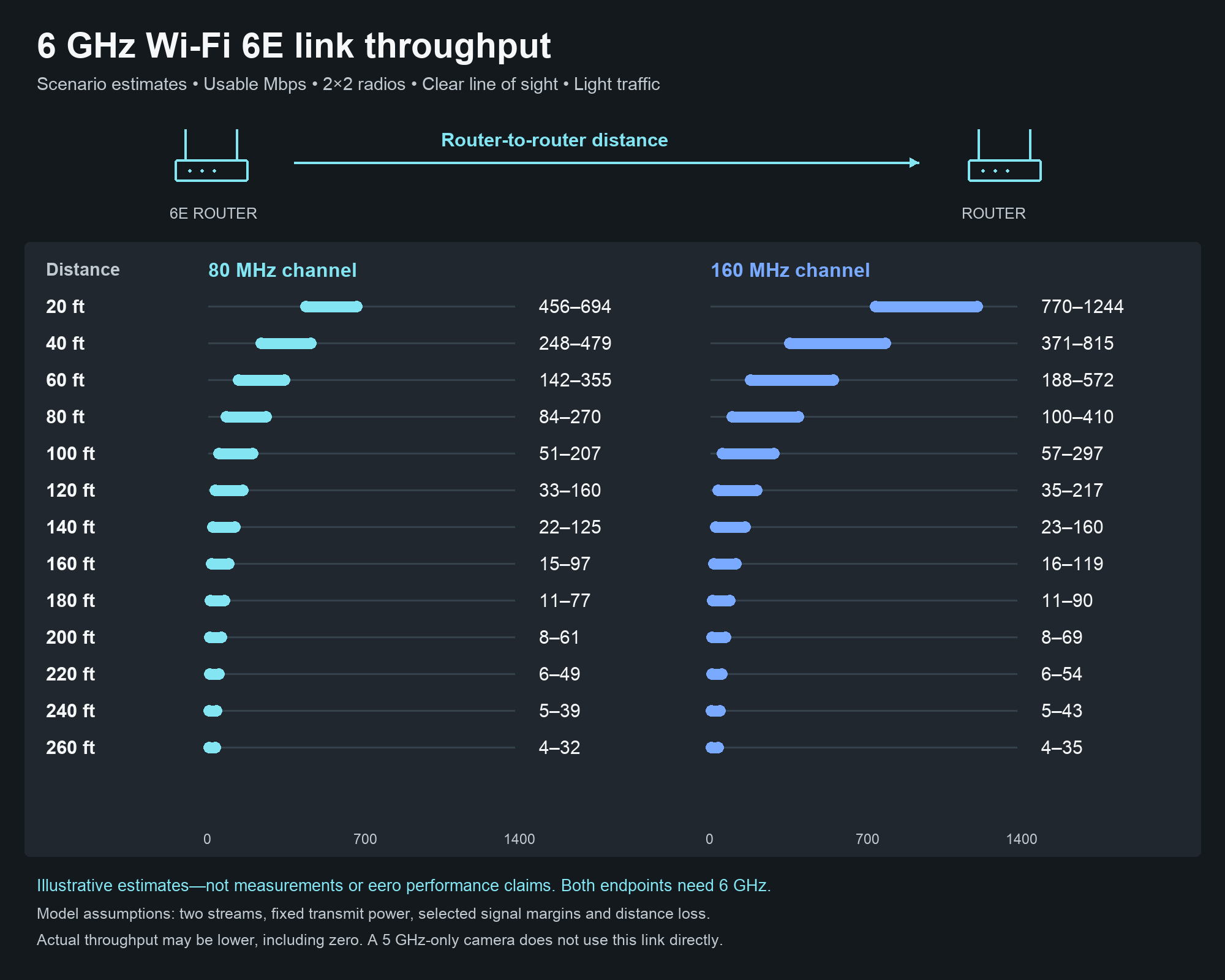
6 GHz Wi-Fi 6E link estimates
Compare illustrative 80 and 160 MHz throughput scenarios at 20-foot intervals through 260 feet. These numbers are calculated scenarios, not eero measurements or guaranteed minimums. They assume two spatial streams, clear line of sight and light traffic. The model uses a selected 25–35 dB signal-to-noise range at 20 feet, distance loss and implementation/traffic allowances. Actual performance can be lower, including zero. This chart uses a different estimation method from the earlier 5 GHz example, so do not treat the two charts as a controlled comparison. Both ends must support 6 GHz; a 5 GHz-only camera still connects to its nearby router on 5 GHz. eero chooses its backhaul band dynamically. Use only equipment and operating modes permitted for the installation location.
Three different links
Camera link: camera to its nearby router, often 5 GHz. Backhaul: traffic between mesh routers, potentially 6 GHz on compatible equipment. Internet uplink: the connection from your network to the broadcast service. The chart describes the first link only. Its Mbps ranges are not the broadcast bitrate, router backhaul speed or available internet upload speed.
Leave room for changing conditions
Count the traffic from all active cameras and destinations, plus protocol overhead and retransmissions. Do not run a link at its estimated limit. An 80 MHz channel may offer more capacity in a clear environment, but interference can change the outcome; some routers choose channel width automatically. Use the app’s health meters and a sustained full-load test to decide whether to move equipment or reduce stream settings.